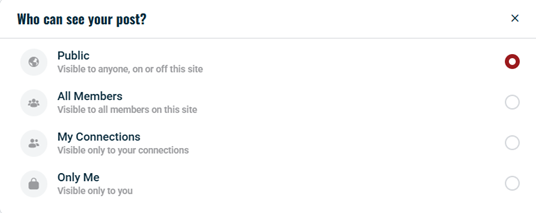
The Activity Privacy feature enables members to manage who can see their activity posts, including photo and document uploads. This built-in option lets users choose from multiple privacy settings—Public, All Members, My Connections, or Only Me—ensuring that content is shared with the intended audience without requiring any additional plugins.
Understand Privacy Options
- Public (
 ): The post is visible to all users, whether they are logged in or not.
 - All Members (
 ): The post is visible only to logged-in members of the site.
 - My Connections (
 ): The post is visible only to users who are connected with the author.
 - Only Me (
 ): The post is visible solely to the author.
Change the Privacy of an Existing Activity Post
- Navigate to the Activity Feed or your profile wall, where your posts are displayed.
- Click the Activity Privacy() button on the post, media, or document you want to modify.
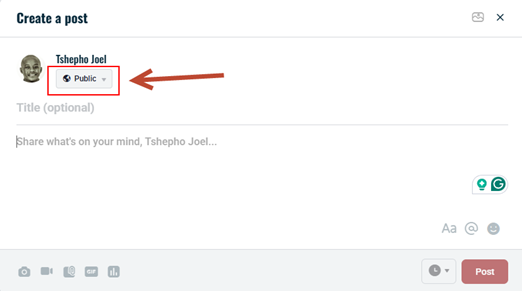
- From the options presented, select your preferred privacy setting (e.g., click All Members to make the post visible only to logged-in users).