
Help & Support Center

Find answers quckly and connect with our support team.

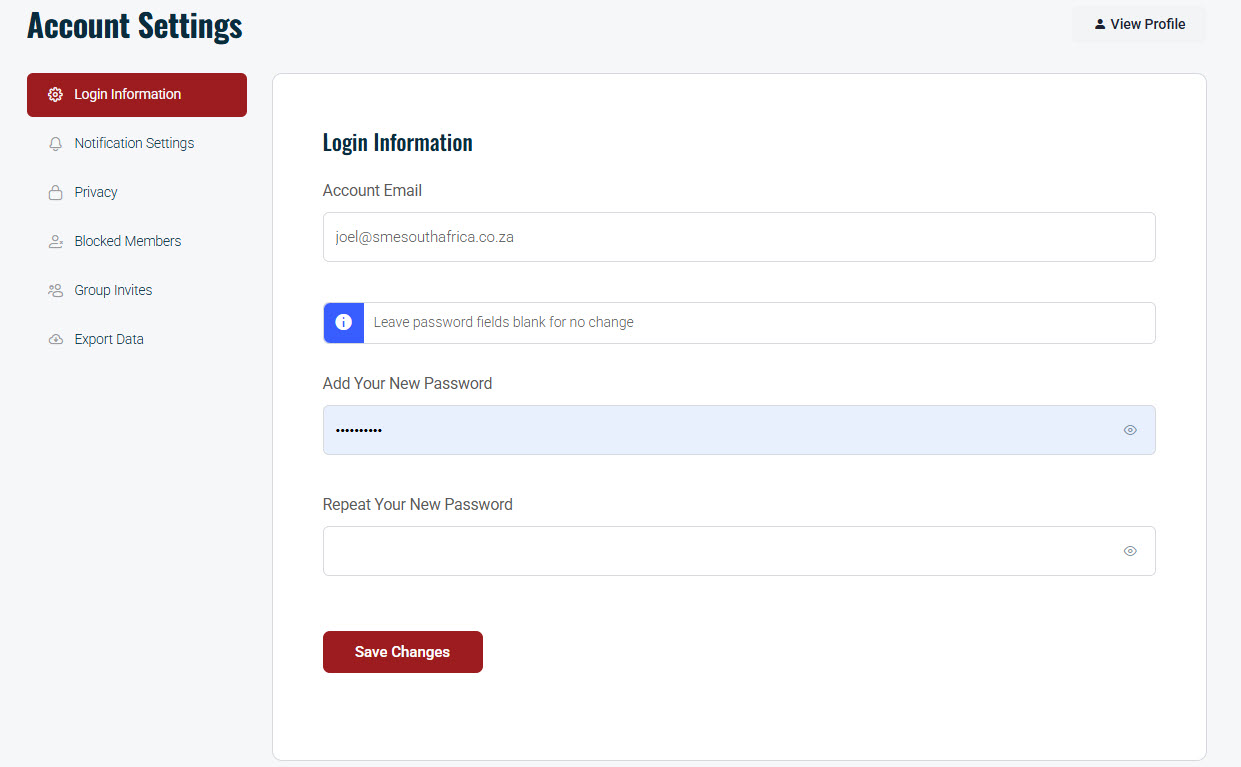
How to Change Email or Password

Updated on 23rd April 2026

These are usually found in “Account Settings,” not “Edit Profile.”

  1. Click your Avatar in the top right corner.
  2. Select Account Settings (sometimes just labelled Account).
  3. Look for the Login Information to change your email or password.

Don’t forget to click Save Changes.
My Support Tickets

Track the status of your open and closed support requests.

View Ticket History Dashboard

Integration via FluentSupport API required for ticket status tracking.

Please login or create an account to access the Customer Support Portal.

Or sign in with email

New subscriber? Sign up

Stay in the loop

Stay in the loop