
Help & Support Center

Find answers quckly and connect with our support team.

Creating Posts

Updated on 23rd April 2026

Create a New Post

  • Compose a new post within your SME Hub community.
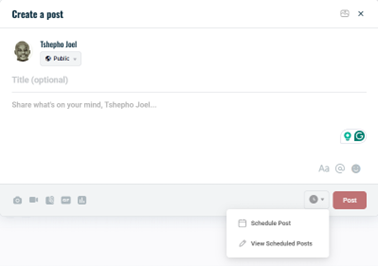
  • Locate the clock icon next to the Post button.
Schedule Your Post

  • Create a new activity post.
  • Click the clock icon to open the scheduling dropdown menu.
  • Select Schedule Post from the options.
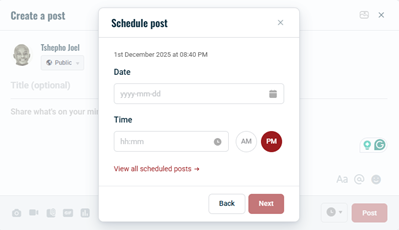
  • Click Next to confirm the schedule.
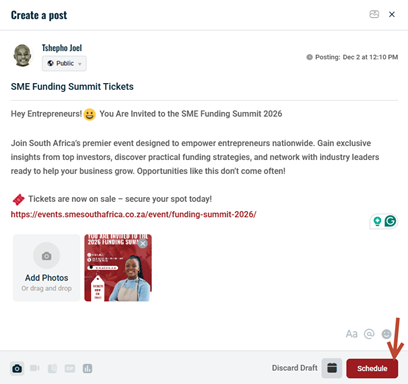
  • The Post button will now change to Schedule.
  • Click Schedule to queue the post for automatic publishing at the selected time.
My Support Tickets

Track the status of your open and closed support requests.

View Ticket History Dashboard

Integration via FluentSupport API required for ticket status tracking.

Please login or create an account to access the Customer Support Portal.

Or sign in with email

New subscriber? Sign up

Stay in the loop

Stay in the loop